





Arduino 1.0 now available.

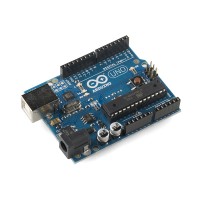
Arduino 1.0 is now available from the download page.

A long time coming, this release brings small but important changes to clean up the Arduino environment and language – as well as adding lots of additional features. Updates to the environment include a new file extension, toolbar icons, and color scheme as well as a progress bar on compilation and upload. The language changes include modifications to the Serial class, addition of DHCP and DNS support to the Ethernet library, a new SoftwareSerial library, multi-file support in the SD library, modifications to the Wire library and UDP class, etc. For details, please see the release notes or this blog post. We’ll be pushing the updated reference for Arduino 1.0 live in the next day or two.

This release is the product of many people (listed in the release notes). Thank you to everyone who helped us get here!

[via] arduino.cc

Arduino Kitchen Timer

anonymouse197 writes:

This instructable will guide you through creating your own Arduino based Kitchen Timer. This is a quite simple project, requiring little or no programming or electronics knowledge, just the willingness to learn and fiddle – an ability most useful for modern man.

This kitchen timer is simple enough, press and hold a button and it will count up it multiples of five minutes, until you release the button. Upon doing so the timer will flash, and begin counting down. This timer includes an alarm and a display, with a piercing piezo buzzer to get your attention.

The arduino, laptop, protoshield, and USB Cable excluded; I took every electrical component from an old or broken device. Try to recycle things, its easy to get hold of broken electronics for free so make the most of it! See any jumpers on this design? No, paper clips are much better – cheap as chips and more sturdy too! :)

Arduino Kitchen Timer - [Link]

Arduinoids – The Rise of the Machines

sustburbia.blogspot.com writes:

Back in July I was contacted by Nikki of fizzPop Hackspace in Birmingham about making very low cost Arduino clones on stripboard. I hadn’t really given it much thought until I realised how easy it would be to make an Arduino compatible device on stripboard (or breadboard) for something less than a fiver!

I’ve tried to standardise the design, to make use of the ATmega328 pin-out – which lends itself for an efficient layout.
Here’s a couple of recent boards – one is a controller for a spark ignition system, and the other is a general purpose layout – just the Arduino in the corner of a vast expanse of prototyping board.

Below is the prototype spark ignition controller. It is based on the Atmel ATmega328 microcontroller and uses the standard FTDI USB to serial cable as a means of

Arduinoids – The Rise of the Machines - [Link]

The AmiPIC18 LCD Shield

embedded-lab.com writes:

Last month I reviewed the Amicus18 development board, which is an Arduino-style platform with a PIC microcontroller. The Amicus18 board is physically compatible with Arduino shields. However, the default PIC processor on the board is a 3.3 V type, which could be an issue while interfacing some of the shields that strictly operate at +5V. As a support to the users of the Amicus18 development board, Gevo Electronics from The Netherlands has designed a special shield, named AmiPIC18 LCD. Although the name says it is a LCD shield, but in real it provides a lot more features, which we will be exploring in this article.

Introducing the AmiPIC18 LCD shield - [Link]

MHVBoard – an Arduino Clone

electronics-lab.com writes:

The MHVBoard is an Arduino clone kit, which does away with a second chip for USB comms, and instead uses V-USB to talk directly to the main microcontroller.

The kit has been designed to run soldering workshops, and is completely hand-solderable, even by complete newbies (all through hole components except for 1 large pin soltage regulator).

Programming is done via the USBAspLoader bootloader, which presents itself to the computer as a USB ASP programmer, which AVRDude knows how to talk to. Patches for the Arduino environment to teach it about this board are also included.

Since the chip directly has USB support, projects can easily emulate low-speed USB devices using the V-USB library. I have integrated USB Keyboard support into ourMHVLib runtime library, and others have written similar libraries for the Arduino environment.

The MHVBoard also has a prototying area available, and our members have successfully used this for various interfaces (displays, nunchucks, etc). I have also built a software controllered 3V->5V boost regulator (using the MHVlib driver) in the proto-area so I can run off LiPos, but that is another project

Other unique features include a 20MHz clock (instead of 16MHz on other Arduino boards), as well as breadboard compatibility. A right angle connector can be mounted along the edge, allowing the whole board to be installed (standing vertically) into a breadboard, with all pins broken out.

MHVBoard – an Arduino Clone - [Link] [Via]

Android Open 2011: Massimo Banzi, “Arduino & Android, Infinite Possibilities”

Nice Video of Massimo‘s talk at Android Open 2011.

via [O'Reilly Media]

Control a Slot Car Race With Your Mind

[Riccardo Giraldi] project : Controlling a slot car race from a Mindwave headset (your brain waves).

From B-Reel’s secret laboratory comes a brain-bending experimental project utilising a number of cutting edge tech tools. B-Reel’s UK creative director Riccardo Giraldi led the development of the project, and you can view the explanatory video here, as well as some of the creative musings in a write up below. [...] There are few commercial devices that claim to safely read your brain signals. We ended up choosing the Mindwave headset from Neurosky for this experiment because of its unobtrusive design and its affordable price.

via [TheNextWeb] source [B-Reel]

Mad Scientists @ NatGeo

Mad Scientists is a new show on the National Geographic channel.

Each episode highlights the work of an individual maker/inventor. In my case, the show focuses in on my collection of robots that I have built over the past several years for articles that have appeared in Robot Magazine. There is a “reality” spin to the show where the inventor is challenged to build something with the show’s host (John Bowler) in just two days. For the grand finale the “build” is revealed to an audience of friends and family and put to the test. For me the challenge was to build a robot that could play the basketball game of PIG. You’ll have to watch the show to see how well we did.

All the robots you will see in the show are based on the Parallax Propeller. You may catch a glimpse of a Propeller Proto Board as well as some screen shots filled with Spin code.

RGB LCD Arduino Intervalometer


RGB LCD Arduino Intervalometer @ The Custom Geek. [via]

I am getting ready to sell some kits and wanted a good way to photograph the assembly without fumbling around trying to hold a camera in one hand and a project in the other. The answer? An intervalometer. A device that can send an IR signal to my Nikon, triggering the shutter. The video above explains all of the features including; automatic delay calculation, auto stop, multiple LCD and LED feedback options, Li-Po charging, FTDI headers, and manual control via button or plug-in foot switch.

This project will work with most Nikon DSLR cameras without changing anything, but can easily be adapted to work with Canon, Sony, or any camera that will accept an IR remote.

RGB LCD Arduino Intervalometer - [Link]

Adalight – Make your own DIY Arduino-powered ambient “Ambilight”

 adafruit.com writes:

There are any number of projects for which it would be handy to animate LEDs from a PC. Not a microcontroller, but a full-on PC. Media — music and video — are a natural for PCs, and tools like Max/MSP and Processing are a natural for creating media-based software sketches. (We use “PC” here in the generic “personal computer” sense, not in opposition to Mac; Using a combination of Processing and Arduino, everything shown here runs as well on Mac or Linux as it does on a Windows system!)

As a first demonstration, we’ll build a simple “Ambilight ” clone. Ambilight is a feature of some Philips televisions that projects colored light onto the wall behind the display , synchronized with the content on the screen to create an immersive effect. The authentic Philips system is well-integrated into the TV and works from any video source. Our facsimile, being computer-driven, works specifically with media content from your PC. This means its perfect for watching Youtube, TV or Movies on your PC or playing games!

Adalight – Make your own DIY Arduino-powered ambient “Ambilight”-like lighting rig - [Link]

Creative Commons License
This work is licensed under a Creative Commons Attribution-Share Alike 3.0 Unported License.


Creative Commons License
This work is licensed under a Creative Commons Attribution-Share Alike 3.0 Unported License.